Setup steps
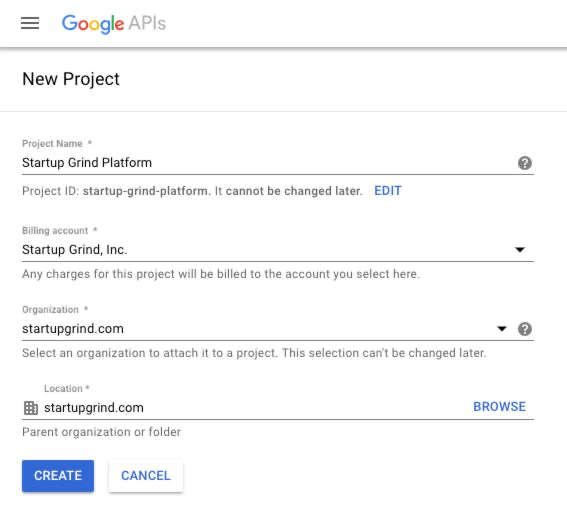
Go to Google Developer Console (https://console.developers.google.com/) and create a project if you don’t have one yet.
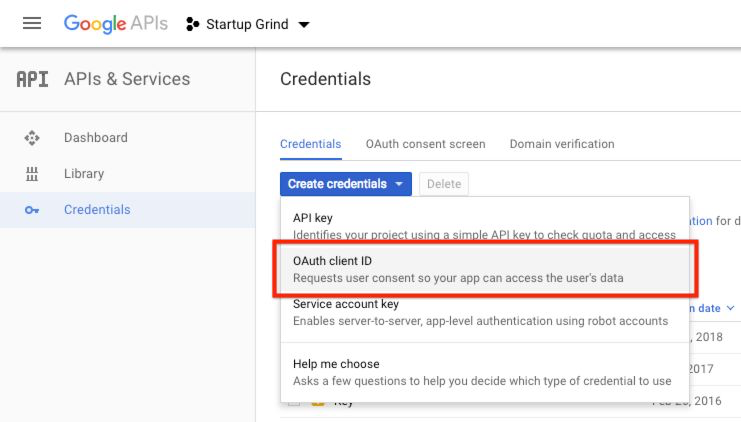
Under “APIs & Services”, go to “Credentials” and create a new “OAuth client ID”.
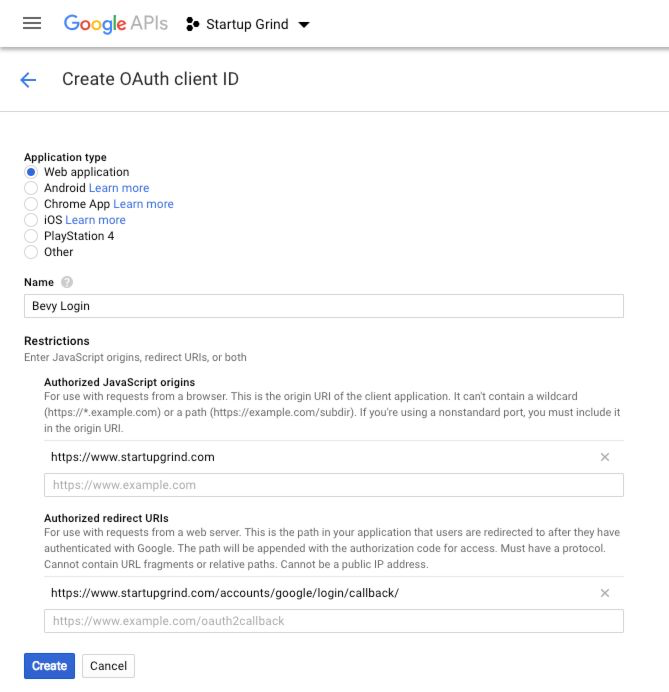
Select “Web application” as the application type, give it a title and add the following restrictions:
- On “Authorized JavaScript origins” include the base URL for the Bevy instance, e.g.,
https://www.startupgrind.com/ - On “Authorized redirect URIs” include the following:
https://<your-domain>/accounts/google/login/callback/, where<your-domain>is the Bevy’s instance domain name (e.g.,https://www.startupgrind.com/accounts/google/login/callback/).
Please make sure to add a trailing slash at the end of the URI.
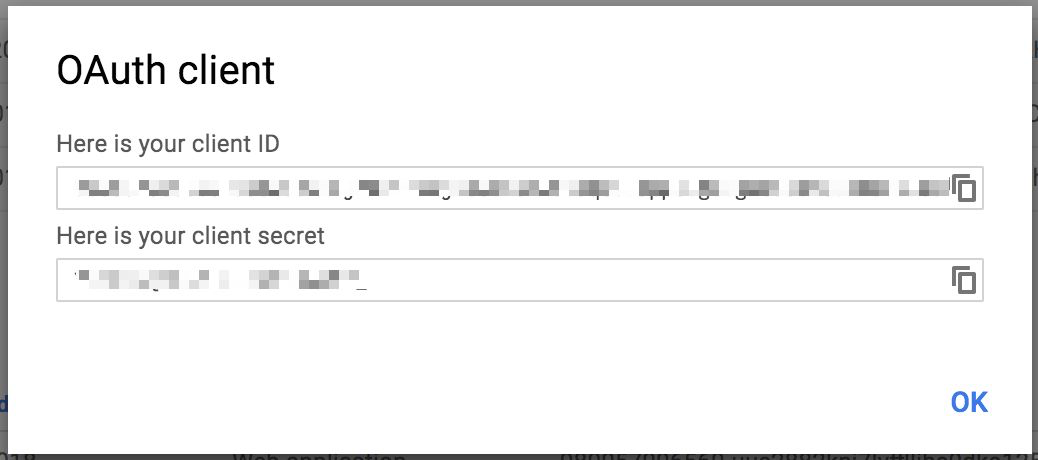
Information required by Bevy
After creating the application, please send both Client ID and Client Secret information using a secure channel (text message, keybase.io, etc.).